Monthly private accessLimited seats
Private TradingView + validated webhook
From TradingView to validated execution. Under your control.
Private access to Quantiva Trades, your TradingView alert, and a personal webhook that validates payload, profile, and mode before Demo, Paper, or Binance Live. No custody and no withdrawal permissions.
Private TradingView scriptYour own alertMode validationNo custody
Operational proof, not promises
What Quantiva controls and what stays in your hands.
The offer is not fund custody or guaranteed returns. It is a controlled workflow between TradingView, webhook validation, and optional execution.Private access
Entry plan
Quantiva Trades from
$140 moConfigurable strategy + personal webhook + private appQuantiva Trades access
Invite-only access to the configurable Quantiva Trades strategy inside your TradingView account.
Your TradingView alert
Signals come from your own chart after you configure the strategy and create the alert yourself.
Personal webhook
Your profile webhook validates payload and mode before optional Demo, Paper, or Binance Live execution.
No fund custodyNo withdrawal permissionValidate before live
Real workflow
TradingView does not execute alone. The webhook is validated first.
This is the missing layer: the alert leaves your chart, Quantiva checks the payload, and only then uses the operating mode you allowed.Signal starts in your chart
You configure Quantiva Trades in TradingView and create the alert from your own account.
Quantiva receives the payload
Your private webhook receives the alert and keeps Demo, Paper, and Binance Live separated.
Profile and mode are checked
Symbol, side, execution_mode, profile, and account mode are validated before any optional action.
You decide when Live is allowed
Validate in Demo or Paper first. Binance Live is only part of the flow when you enable it.
Visible product
Strategy, alerts, and validation without losing control.
Quantiva Trades lives in your TradingView. Quantiva Live only comes in when you decide to use your personal webhook for validation and execution in the selected mode.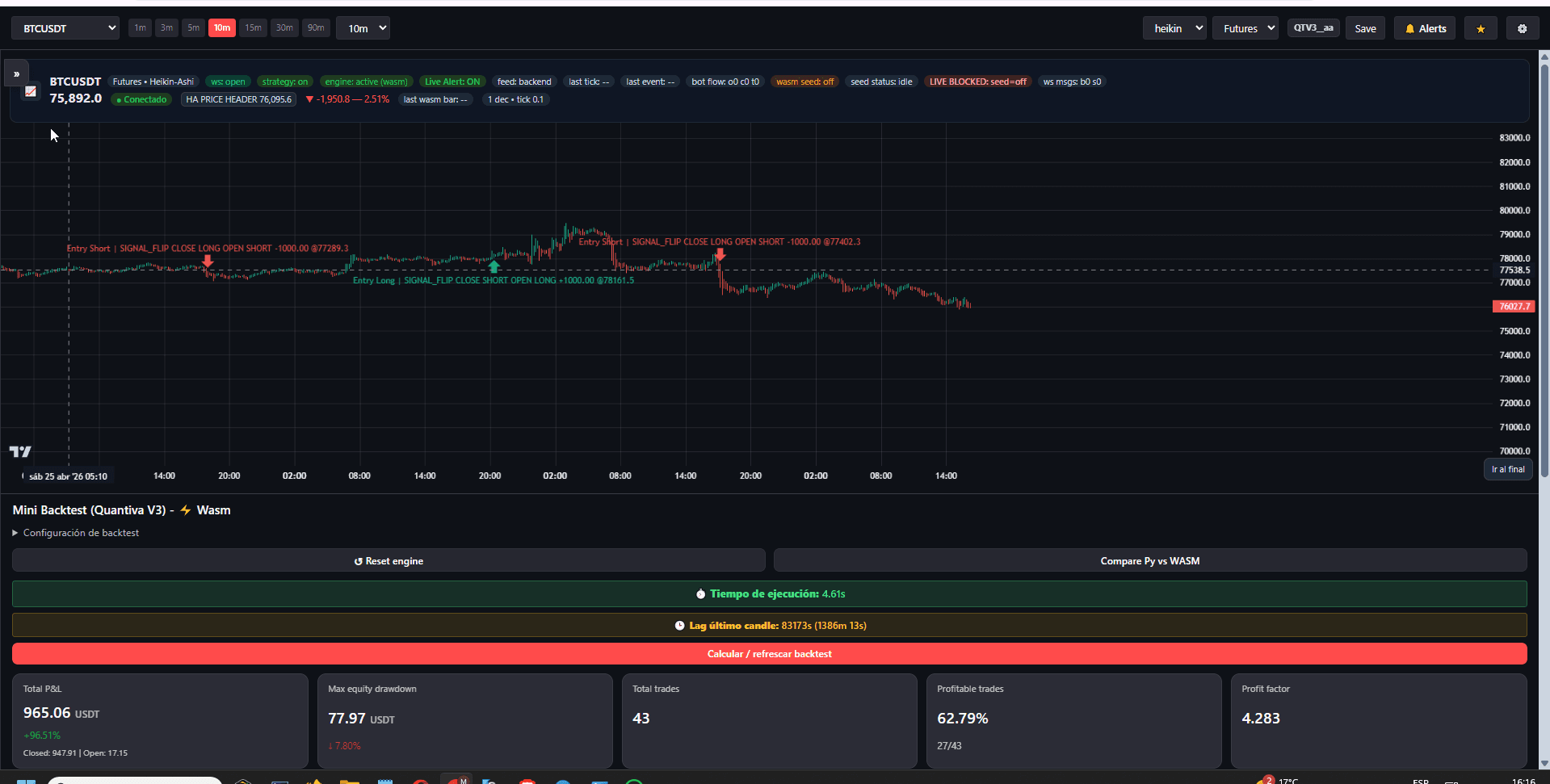
TradingView strategy
Quantiva Trades is configured in TradingView before any webhook is used.
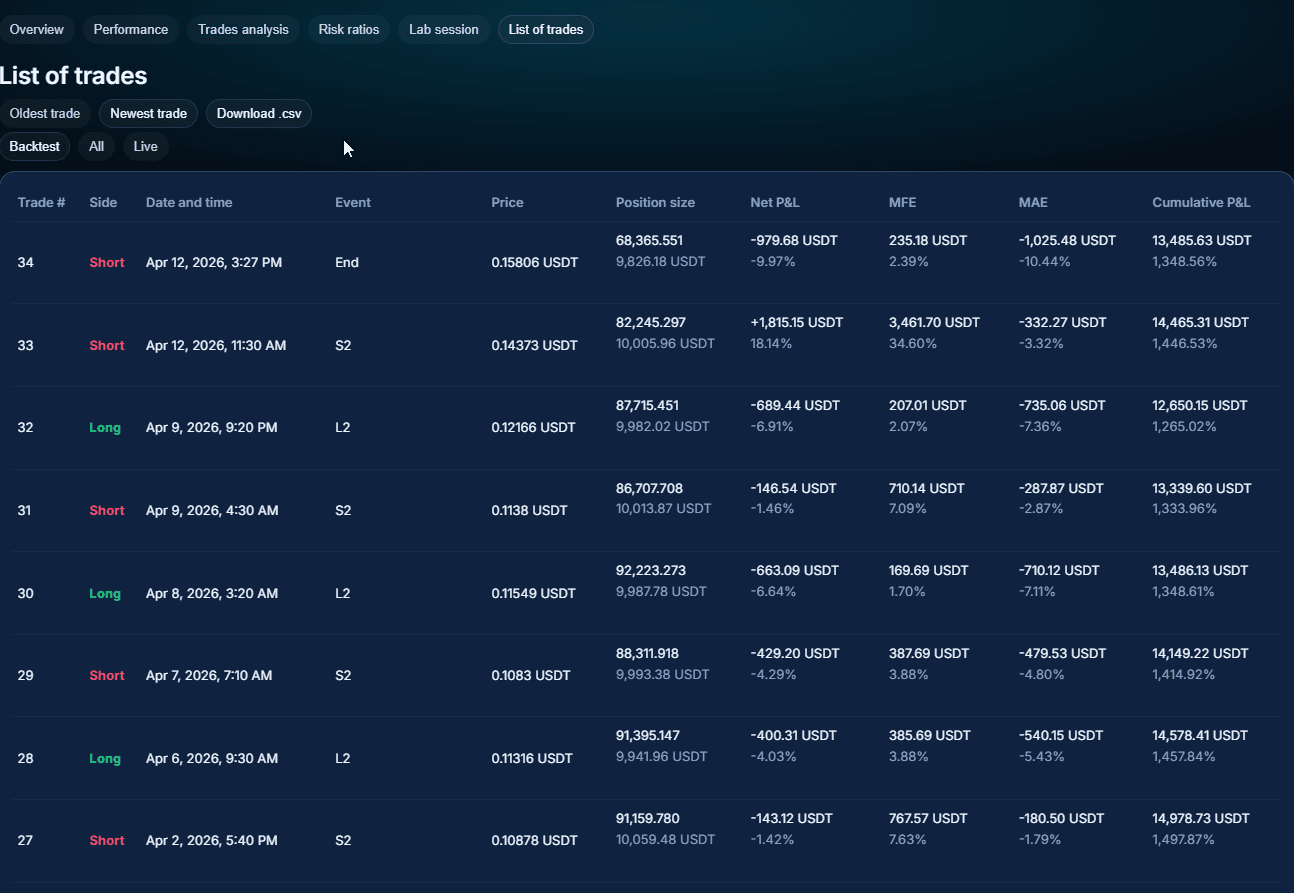
Trade history review
Closed trades, PnL, MFE, MAE, and cumulative behavior stay visible for review.
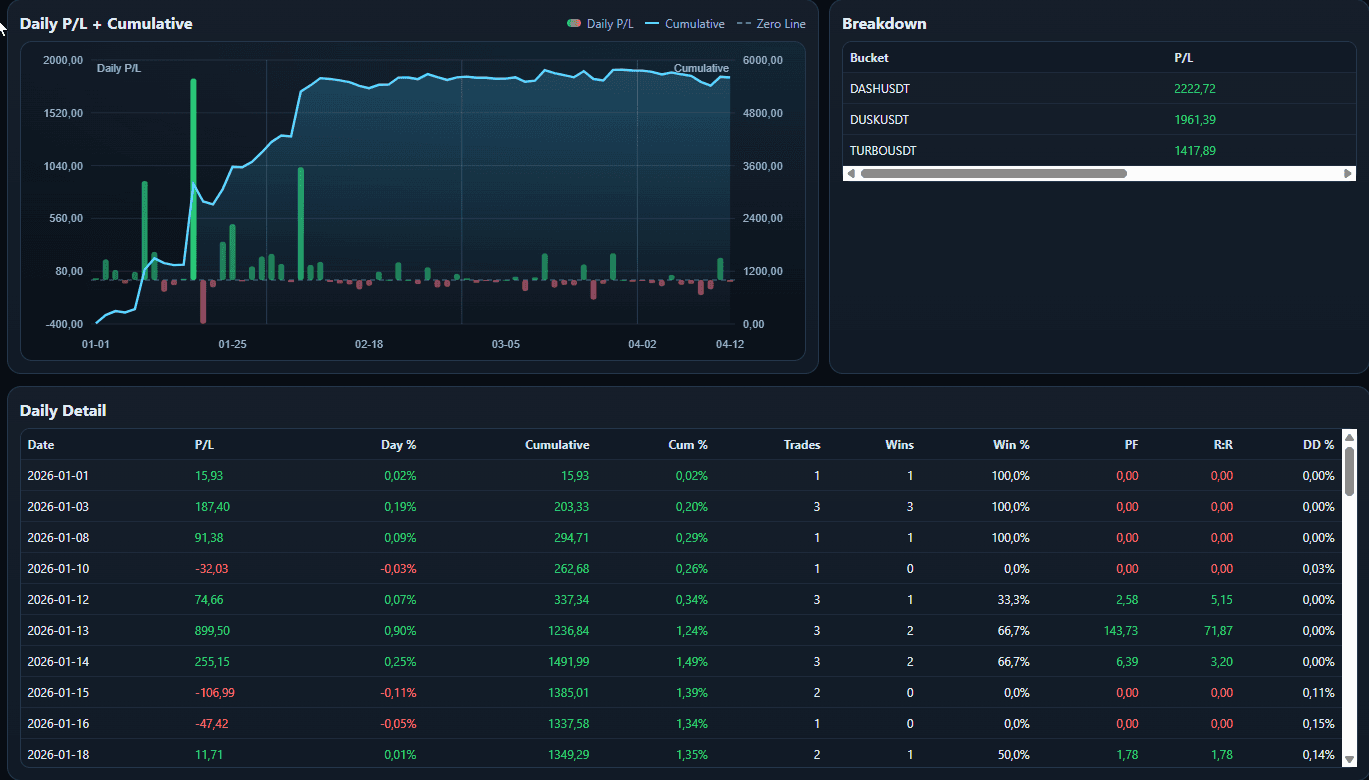
Review and validation
Live, Edge, and history views help review behavior before increasing risk.
What is included
A simple flow controlled by the user.
Quantiva Trades access
Invite-only access to the configurable Quantiva Trades strategy inside your TradingView account.
Your TradingView alert
Signals come from your own chart after you configure the strategy and create the alert yourself.
Personal webhook
Your profile webhook validates payload and mode before optional Demo, Paper, or Binance Live execution.
Private workspace
Quantiva Live keeps account settings, webhook status, execution modes, and billing in one private app.
Activation
From TradingView to webhook in four steps.
Request access
Create your account, choose a plan, and send your TradingView username.
Open Quantiva Trades
Your username is added to the private strategy so it appears inside TradingView.
Create your alert
You configure the strategy, create the TradingView alert, and paste your personal webhook.
Validate before live
Use Demo or Paper first, then move to Binance Live only when you decide.
Trust and limits
Operational control without fund custody.
Quantiva helps validate your webhook and execution modes. Capital, API keys, alerts, and market risk remain under the user's responsibility.No custody
Quantiva does not hold funds. Binance remains under your control.
No withdrawals
API keys should be restricted; withdrawal permission is not required.
Mode validation
Spot, Futures One-Way, and Futures Hedge are checked before execution.
Risk stays yours
This is software access, not financial advice or guaranteed performance.
Official verification
Avoid clones and similar-name domains.
Quantiva Trade Official uses only these channels: quantiva.trade for the public website and app.quantiva.live for the private workspace.Official domains
Quantiva Trade operates only through quantiva.trade and app.quantiva.live.
No clone affiliation
We are not affiliated with Quantiva Pro, QuantivaHQ, Quantiva Group, Quantiva Nova, Quantivatraders, or other similar names.
No funds sent to us
We do not ask you to send crypto, cash, or exchange balances to Quantiva Trade.
No withdrawal access
We never need exchange passwords or withdrawal permissions for Binance API automation.
Monthly plans
Choose the access level you need.
Every plan starts with private Quantiva Trades access; higher tiers add Binance Live, higher limits, and support.Operator
$140Quantiva Trades access, personal webhook, Demo, Paper, basic profile controls.
Advanced
$199Adds Binance Live mode, expanded controls, history, and priority support.
Lab
$349Adds private validation, backtesting views, and setup review.
Desk
$599Higher limits, dedicated onboarding, and high-touch product support.
Request access to Quantiva Trades.
Configure first. Validate next. Only then decide whether to trade live.
Trading involves risk. Quantiva does not provide financial advice or guarantee results.